Step 2 · the control desk
And once you have several, who watches them?
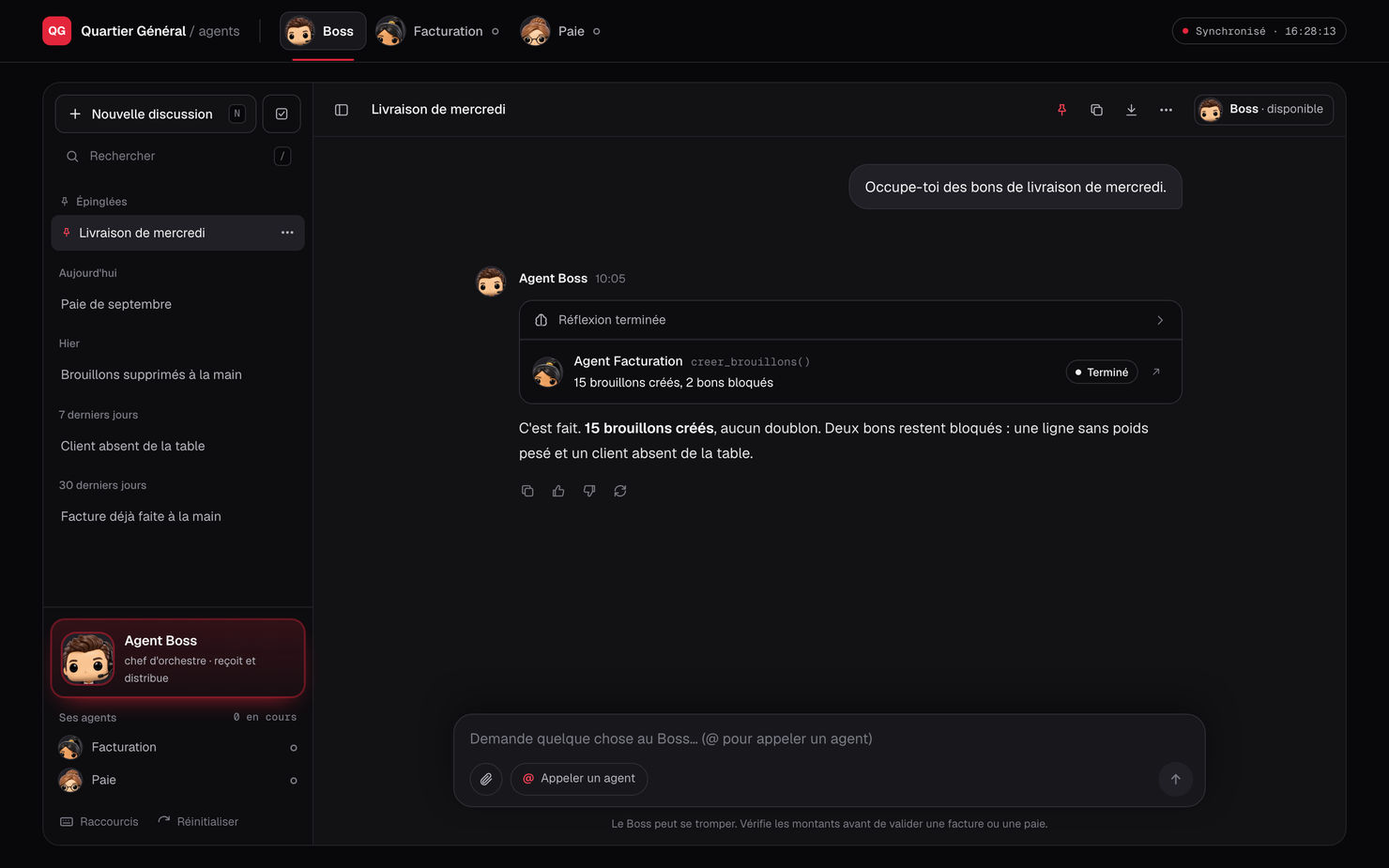
A single control desk. It reads every agent live — its role, what it processed, what it blocked — and answers you using an AI model that runs on your own machine. None of your data goes anywhere else.
The problem arrives quickly
One agent is fine: it has its own screen, you open it when you need it. At two, you open two windows. At three, nobody knows which one ran this morning, which one flagged an incomplete document, or where the month stands.
The HQ solves that without copying anything: each agent stays independent where it lives, and the desk reads it, every ten seconds.
One figure per agent
Each agent has a face. That is not decoration: inside a company people talk about “the payroll agent” the way they talk about a colleague, and a face is easier to remember than a piece of software.
Click a figure to see what that agent does. Three run today; the others are roles the same method can cover.
The AI runs on your premises — that is the point
An assistant that knows your invoicing and payroll cannot send that information to an outside service. So the model executes on your machine, locally. Nothing transits, nothing is stored elsewhere, nothing trains anyone else's model.
| It never computes | No amount, no total, no date produced by it. It only quotes what the agents give it, as it is. |
|---|---|
| It says when it doesn't know | Missing information means it says so and offers to open the agent concerned. It does not invent things to look useful. |
| It touches nothing | It creates, modifies and deletes nothing. The agents do that, after human approval. |
| It flags demonstrations | An agent in demo mode? Its answer opens with “Warning, demonstration figures”. |
| It listens only to the machine | The server answers locally only, with a barrier against websites that would try to command it without your knowledge. |
Which software can be automated?
Almost all of them. If your software has a programming interface, we use it — the cleanest and fastest route. If it does not, the agent drives its web interface exactly as a person would: it clicks, it types, it checks.
That is what happens with Erplain, which exposes nothing: the agent opens the pages, finds the customer, types the lines and reads the quantities back. Slower than an API, but the result is the same.
| The software has an API | We connect straight to it. Fast, robust, barely affected by cosmetic changes. |
|---|---|
| The software has no API | The agent drives the web interface. Allow about a minute per document, plus maintenance when the vendor changes the screen. |
| Either way | Your credentials are entered in your application, on your machine. They never leave it, and I never see them. |
In other words: if you can do it from a browser, an agent can do it for you.
Where is your data? On your premises, nowhere else
The application is installed on your machine. The AI model executes on it. Your credentials stay inside your application. I hold no copy, no access, and no server that keeps anything.
That is the fundamental difference from an online service. With a conventional provider your invoices, your salaries and your bank details pass through its servers, are stored there, and you have to trust it. Here the question does not arise: nothing leaves.
| The application | Installed on your machine, like ordinary software. It depends on no outside service to work. |
|---|---|
| The artificial intelligence | The model runs on your machine. None of your data trains anyone's model. |
| Your credentials | Entered by you, in your application, on your machine. I do not ask for them and I do not see them. |
| The network | The control desk answers locally only, with a barrier against websites that would try to command it without your knowledge. |
| Me | I have no permanent access. For a fix, you open access to me, and you close it again. |
How we find what to automate
You do not need to know what can be automated. That is my job.
- You tell me. Which tasks come back every week, who does them, how long they take, and where they jam.
- I look at your real documents. Three examples are enough to see whether the format is consistent.
- I tell you what is not worth it. A rare task, or one whose rule keeps changing, costs more to automate than to do by hand. I will say so.
- We start with the one that costs most — not the one that is easiest to code.
- The rest follows, one agent at a time, and the control desk once there are several.
What it costs
| HQ installation | €900 — from the 2nd agent onwards |
|---|---|
| Maintenance supplement | +€40/month, added to your existing maintenance |
| What it includes | Installing the control desk and the AI model on your machine, connecting each existing agent, and a hands-on walkthrough. |
This is an extension, not a separate product: it only makes sense once your agents are running.
Is this for you?
- With a single agent, no. Its own screen is enough; the HQ would be a useless layer.
- From two or three, yes. That is where people lose track.
- If your data is sensitive — invoicing, payroll, staff — local execution is not a detail, it is the condition.
Tell me about your case
Describe the repetitive work in your company. Together we identify the one that deserves an agent first — and the HQ comes when you have several.
or write to me directly at atlanm335@gmail.com
Reply within 48 h, with an honest verdict.